Relying on external hard drives and cloud services is not an archive strategy—it’s a delayed catastrophe.
- Consumer-grade storage (SSDs, HDDs) is designed to fail, a process of inevitable physical degradation known as “data rot.”
- True preservation requires lossless formats, meticulous metadata that acts as historical provenance, and a multi-location system that goes beyond simple backups.
Recommendation: Treat your collection like a museum: verify its integrity, document its history, and never trust a single point of failure.
You remember that perfect playlist from 2005. The one filled with obscure B-sides, live bootlegs, and indie tracks that defined a specific moment in your life. But when you look for it now, you find a digital graveyard. Half the files are corrupted, others are simply gone, and your iTunes library is littered with exclamation marks signaling missing links. The immediate reaction is often pragmatic: buy a new, larger external hard drive or drag the remaining files into a generic cloud storage folder. We treat the symptom, assuming the tool failed us.
But what if the problem isn’t the drive, but the philosophy? This isn’t a backup issue; it’s an archival crisis. The casual act of “backing up” fosters a dangerous illusion of permanence. It ignores the fundamental truth that all digital media is in a constant state of decay. This guide is not about making more copies. It’s about adopting the urgent, disciplined mindset of a digital archivist to ensure your music’s history outlives the fragile containers we store it in. You are not just a user; you are the custodian of a unique cultural record.
To succeed, you must understand the full spectrum of threats, from the silent decay of your own drives to the impermanence of streaming platforms. We will dissect the professional methods for capturing analog sources, the critical importance of future-proof metadata, and the non-negotiable standards for file formats and storage. This is the manual for transforming a vulnerable collection into a resilient personal archive.
Summary: A Preservationist’s Framework for Your Digital Music Archive
- Why Do Albums Disappear From Spotify Without Warning?
- How to Transfer Old Cassette Tapes to Digital Without Losing Quality?
- Interviews or Articles: Which Captures the True History of a Scene?
- The “Data Rot” Mistake: Why Your SSD Is Not a Permanent Storage Solution?
- How to Tag Your Music Files so Your Grandkids Can Find Them?
- The “Bot Farm” Mistake: Why Buying Streams Can Get You Banned?
- FLAC or MP3:Why Is Learning Violin After 30 Considered the Ultimate Musical Challenge?
- How to Curate Your Own Music Library Without Relying on Algorithms?
Why do albums disappear from Spotify without warning?
The first step in digital preservation is recognizing what you do not control. Relying on streaming services like Spotify or Apple Music for your collection is akin to building a library on rented land. The catalog seems infinite and permanent, but it is a fragile illusion governed by contracts you cannot see. Music vanishes without warning for several critical reasons. The most common is the expiration of licensing deals between record labels and the platform. These agreements are temporary, often lasting only a few years, and their renegotiation can lead to entire catalogs being pulled overnight.
Beyond corporate negotiations, artists themselves hold the power to withdraw their work. Neil Young’s protest-driven removal of his music from Spotify is a prime example of how an artist’s principles can instantly alter the platform’s library. This highlights a core vulnerability: your access is entirely dependent on the ongoing consent of countless third parties. Furthermore, regional rights agreements create a fractured global landscape. An album available to you today might become inaccessible if you move to another country, or if the rights for your current region change.
This inherent instability proves that streaming platforms are a service for discovery, not for preservation. They offer convenient access, but not ownership. For an archivist, any music that exists solely on a streaming service is already at risk. The only way to guarantee its permanence is to possess a local, verified file that is independent of any platform’s gatekeeping. Without that, you are merely a listener, not a custodian.
How to transfer old cassette tapes to digital without losing quality?
Once you accept the necessity of a personal archive, the next duty is to capture your analog media with absolute fidelity. Transferring a cassette tape, vinyl record, or any other physical format is a one-time opportunity to create a definitive digital “master.” Any quality lost at this stage is lost forever. The archivist’s goal is not convenience; it is a bit-for-bit perfect transfer that preserves the original audio information without degradation. This requires a disciplined workflow that rejects shortcuts like low-quality USB turntables or converting directly to MP3.
The process begins with your hardware. You need a well-maintained tape deck or turntable connected to a high-quality audio interface, which converts the analog signal to digital. This signal must be captured in a lossless format. Formats like WAV, AIFF, or BWAV are uncompressed, meaning they retain 100% of the original audio data from the analog source. Saving directly to a lossy format like MP3 introduces compression artifacts and discards audio information that can never be recovered. This is the cardinal sin of digitization.
A professional preservation workflow extends beyond the capture itself. First, always capture in a lossless format at a minimum of 44.1kHz/16-bit resolution, with 96kHz/24-bit being the preferred archival standard. Second, meticulously document the provenance of the recording: create a simple text file detailing the original tape, the date of digitization, and the specific hardware used. Finally, adhere to the 3-2-1 rule: maintain at least three copies of the file, on two different types of media, with one copy stored off-site. This is the baseline for securing your newly digitized history.
Interviews or articles: Which captures the true history of a scene?
A digital file is a container for data. An archive, however, is a container for history. Preserving the `WAV` or `FLAC` file is only half the battle. Without context, the file is an artifact without a story. This is why an archivist must also be a historian, gathering the narrative that surrounds the music. The question of whether interviews or articles better capture this history is a false dichotomy; a robust archive needs both. Articles, fanzines, and reviews provide the contemporary public narrative, showing how a scene or artist was perceived at the time. They are the official record.
Interviews, on the other hand, provide the invaluable oral history. They are filled with the personal anecdotes, forgotten details, and behind-the-scenes stories that articles often miss. The Manchester Digital Music Archive serves as an exemplary model, combining scans of old gig posters and magazine articles with video interviews of scene veterans. Hearing Jacqui from the Hacienda era describe taping soul shows and discovering hip-hop provides a texture and humanity that a written article alone cannot convey. This combination of documented fact and personal testimony creates a three-dimensional history.
Ultimately, the goal is to create a rich ecosystem of information around your core audio files. As one archivist noted when discussing the importance of context, it’s about both preservation and accessibility. In a guest post for the Internet Archive Blogs, this point was made with stark clarity:
You can preserve as much data as you want, but if nobody can find it or understand it, well – it’s not for naught, but it’s also not the reason you went to all the trouble of archiving it in the first place.
– Guest Post Author, Internet Archive Blogs – Preserving Digital Music
This is why you must save not only the track but also the album review from the local zine, a PDF of the artist’s Wikipedia page, and links to interviews. Store these contextual files alongside the audio files. They are not secondary materials; they are an integral part of the archival record.
The “Data Rot” mistake: Why your SSD is not a permanent storage solution?
The most dangerous misconception for a budding archivist is believing that any modern storage medium is permanent. Hard disk drives (HDDs) and solid-state drives (SSDs) are not vaults; they are consumables with a finite lifespan. The physical degradation of storage media over time is an inevitable process known as “data rot” or data decay. Forgetting this is the single most common and catastrophic mistake. Your collection is not safe simply because it’s on a new drive.
Hard drives are mechanical devices with spinning platters and moving read/write heads. They are susceptible to mechanical failure, head crashes, and platter degradation. A recent analysis highlighted this crisis, revealing that around 20% of 1990s hard drives are now unreadable. SSDs, while lacking moving parts, are not immune. They store data in flash memory cells that lose their ability to hold a charge over time, especially when left unpowered. Most consumer drives are simply not built for long-term, cold storage. The reality is that most commercial drives are rated to last for only three to five years.
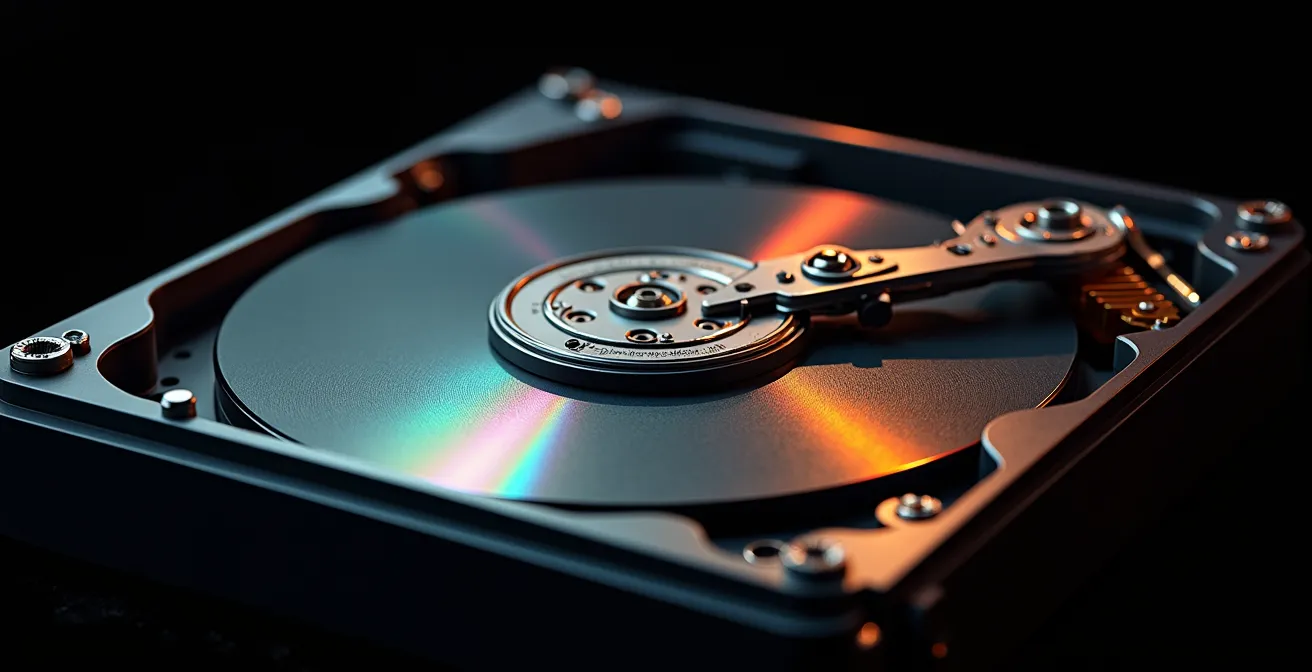
Fighting data rot requires an active, vigilant strategy, not a passive “set it and forget it” approach. The core principle is media agnosticism: assume every storage medium will fail and plan accordingly. This means your data’s integrity must be regularly verified. Professionals use checksums—unique digital fingerprints like SHA-256—to confirm that a file has not changed or degraded at the bit level. Running these checks periodically ensures that your copies are still perfect. A file that is not regularly verified for integrity cannot be considered archived; it is merely stored and potentially decaying in silence.
Your Data Integrity Audit Plan
- File Inventory: List all storage locations (HDDs, SSDs, cloud) where your master music files exist.
- Generate Checksums: Use a tool to create SHA-256 checksums for all your primary lossless audio files. Store this list of checksums as a master text file.
- Implement 3-2-1 Rule: Confirm you have at least three copies of the data, on two different media types (e.g., an SSD and an LTO tape), with one copy geographically off-site.
- Schedule Verification: Set a recurring calendar reminder (quarterly or semi-annually) to run a new checksum validation against your master list on all copies of the archive.
- Migration Plan: Establish a five-year cycle to migrate the entire archive to new, contemporary storage media to stay ahead of media failure and obsolescence.
How to tag your music files so your grandkids can find them?
An archive that cannot be searched is merely a digital landfill. After ensuring the bit-level integrity of your files, the next archival duty is to embed rich, future-proof metadata. This is how you transform a folder of cryptic filenames into a browsable, understandable library for yourself and for future generations. Do not rely on folder structures alone; they are fragile and can be easily broken. The metadata—artist, album, year, genre, comments—must be embedded directly into the files themselves using a robust tagging standard like ID3 for MP3 or Vorbis Comments for FLAC.
The urgency of this task is best illustrated by horror stories from professional archivists. As documented in a Rolling Stone report on the industry’s storage crisis, labels frequently receive drives with thousands of unidentified files. One archivist, Chris Lacinak, described the nightmare scenario: “Imagine if all the songs in your iTunes library just said Track 1 or Track 2. Ten years later, when you want to do a remix or collect outtakes — good luck.” Without metadata, the data is functionally lost, even if the bits are perfectly preserved.
Think of metadata as the provenance of your music file. A museum doesn’t just display a painting; it provides a placard with the artist, date, medium, and history. Your tags should do the same. Go beyond the basics. Use the ‘Comments’ or ‘Description’ field to add the context you gathered: “Live bootleg from the 1992 Dublin show,” “Digitized from original vinyl pressing,” or “B-side from the Japanese import single.” Use specialized tags to note the producer, session musicians, or recording engineer. This level of detail ensures that anyone, decades from now, can understand not just what the file is, but why it was important enough for you to save.
The “Bot Farm” mistake: Why buying streams can get you banned?
In the age of digital music, a fundamental tension exists between authentic value and artificial metrics. The archival mindset is rooted in the former: preserving unique, historically significant artifacts. The commercial streaming ecosystem, however, can sometimes incentivize the latter. The existence of “bot farms”—services that use automated accounts to fraudulently inflate stream counts—represents the ultimate perversion of this system. It’s the pursuit of hollow, meaningless metrics over genuine cultural impact.
While the topic of buying streams might seem more relevant to aspiring artists than to archivists, it offers a crucial philosophical lesson. An archive’s value is intrinsic. A rare live recording is valuable because of its uniqueness and the history it captures, regardless of whether it has one listener or one million. In contrast, the value of a heavily botted track is entirely extrinsic and illusory. It is a data point without substance, designed to manipulate algorithms rather than connect with a human listener. This is the digital equivalent of a counterfeit artifact.
For the archivist, this distinction is paramount. Your work is to preserve genuine musical history, not to chase the fleeting validation of platform metrics. The contrast between a carefully curated personal archive and an artificially inflated stream count represents the fundamental difference between building a legacy and chasing a trend. One is an act of preservation; the other is a market distortion. Understanding this difference reinforces the importance of your mission. You are not just collecting files; you are safeguarding authenticity in an ecosystem often flooded with artifice.
FLAC or MP3:Why is learning violin after 30 considered the ultimate musical challenge?
The choice of file format is a defining decision for any digital archivist. It is a non-negotiable line between convenience and preservation. The debate between lossless formats like FLAC and lossy formats like MP3 is not a matter of opinion; it is a technical absolute. A lossy format, by definition, discards audio data to reduce file size. An MP3 is a degraded version of the original source. While it may sound “good enough” for casual listening, it is an unacceptable compromise for an archive master.
An archivist must always work with lossless source files. FLAC (Free Lossless Audio Codec) is the de facto standard for archival purposes. It uses compression, but in a way that is fully reversible, like a ZIP file for audio. When a FLAC file is uncompressed, it is bit-for-bit identical to the original WAV or AIFF file it was created from. This means no quality is ever lost. MP3, on the other hand, uses perceptual coding to permanently remove parts of the audio spectrum that are deemed less audible to the human ear. This data can never be restored. Editing or re-encoding an MP3 will only degrade its quality further.
Professional archives take this principle to its logical extreme. As noted in industry reports, major labels like EMI and Universal immediately convert new album files onto enterprise-grade systems like Linear Tape-Open (LTO). This is a heavy-duty digital tape format used by banks for data backup, prized for its stability and long shelf life. While LTO may be overkill for a personal collection, the mindset is instructive: the pros never compromise on the master copy. Your FLAC collection is your personal equivalent of their LTO vault.
The following table, based on an analysis of audio backup strategies, clarifies the choice:
| Format Type | File Size | Quality | Future Editing | Long-term Preservation |
|---|---|---|---|---|
| FLAC (Lossless) | 30-60% of WAV | Perfect/Original | Full flexibility | Recommended |
| MP3 (Lossy) | 10% of WAV | Good/Degraded | Limited options | Not recommended |
| WAV (Uncompressed) | 100% (largest) | Perfect/Original | Full flexibility | Best for masters |
Key Takeaways
- Digital media is not permanent. Hard drives and SSDs will fail due to “data rot.”
- True archiving requires active management: using lossless formats (FLAC), verifying file integrity with checksums, and following a 3-2-1 backup strategy.
- Context is critical. Metadata (tags) must be meticulously embedded in files to preserve their history and searchability for the future.
How to curate your own music library without relying on algorithms?
The final pillar of digital archiving is the human element: curation. In an era dominated by algorithmic recommendations, the act of consciously building your own library is a radical statement. An algorithm can suggest what to listen to next, but it cannot understand the personal significance or historical context that makes a collection meaningful. Active curation is the process of moving from a passive consumer to an engaged historian of your own taste.
This means actively seeking out music through channels that reward human connection. Instead of relying on Spotify’s Discover Weekly, explore artist recommendations on Bandcamp, where musicians often highlight their influences. Use the credits on Discogs to trace the work of a specific session musician, producer, or independent label across different projects, uncovering a web of related music. This manual, detective-like work builds a collection with a narrative and a point of view, something an algorithm can never replicate. The growth of collecting culture, where platforms show that 105.7 million records were cataloged in 2024, proves a deep-seated desire for this intentional ownership.
A crucial part of active curation is documenting your process. Create a “Curation Log”—a simple text file or spreadsheet—that explains why each album was added. Was it recommended by a friend? Discovered at a live show? Found while exploring a specific genre or historical period? This log becomes part of the archive’s provenance, explaining the “how” and “why” behind your collection’s shape. It is the final layer of context, ensuring that your library is not just a random assortment of files, but a deliberate and personal cultural statement.
Your digital music collection is a significant part of your life’s story. It deserves more than passive storage; it demands active preservation. The first step is to conduct a full audit of your collection’s vulnerabilities. Begin today by applying the data integrity checklist to your primary storage drive. The history you save is your own.